


This npm package serves as a command line script designed to analyze your JavaScript, Vue, or TypeScript source code. Leveraging jsdoc-to-markdown and vue-docgen-cli, it dynamically generates markdown files tailored for VuePress.
- Node.js
>= 22.22 - VuePress 2 (use a version lower than
5.0.0for VuePress 1)
npm i -D vuepress-jsdoc
# or
pnpm add -D vuepress-jsdoc
Example:
# search code in src and move it to code (./documentation/code) in your vuepress folder (./documentation)
vuepress-jsdoc --source ./src --dist ./documentation --folder code --title API --exclude="**/*.test.js"
You can also run it without installing via pnpm dlx vuepress-jsdoc or npx vuepress-jsdoc.
Every .js, .jsx, .mjs, .cjs, .ts, .mts, .cts, .tsx and .vue file is parsed. Files without any documentation are skipped, so they do not create empty pages. Files which can not be parsed are reported as ERROR with the reason and the command exits with code 1.
If you do not want to run vuepress-jsdoc again and again and again.
You can simply pass --watch or -w. Added, changed and removed files update the markdown files and the sidebar.
Use these options after vuepress-jsdoc.
| Name | Alias | Default | Description |
|---|---|---|---|
| --source | -s | ./src | Source folder with .js, .ts or .vue files |
| --dist | -d | ./documentation | Destination folder |
| --folder | -f | code | Folder inside destination folder. Gets overwritten everytime |
| --title | -t | API | Title of your documentation |
| --help | -h | Show help | |
| --version | -V | Show current version | |
| --readme | -r | Path to custom readme file | |
| --exclude | -e | Pattern to exclude files/folders (comma separated) - **/*.test.js,exclude.js more information | |
| --include | -i | Pattern to include files/folders (comma separated) - **/*.js,include.js more information | |
| --rmPattern | --rm | Additional glob patterns of files to remove before generating | |
| --partials | -p | jsdoc2markdown partial templates (overwrites default ones) | |
| --jsDocConfigPath | -c | Path to JsDoc Config | |
| --watch | -w | Watch changes and update markdown files | |
| --collapsible | Make the top level sidebar groups collapsible (nested folders are always collapsible) | ||
| --format | vuepress | Sidebar format of the generated config.js: vuepress or vitepress |
|
| --config | Path to a config file (default: vuepress-jsdoc.config.{js,mjs,cjs,json}) |
Patterns are matched relative to the source folder. Folders can be excluded as a whole, e.g. --exclude="**/__tests__".
Instead of command options, you can add a vuepress-jsdoc.config.js (or .mjs, .cjs, .json) to your project. It is loaded automatically, or use --config ./path/to/config.js. Command options win over the config file.
// vuepress-jsdoc.config.js
import { defineConfig } from 'vuepress-jsdoc';

export default defineConfig({
  source: './src',
  dist: './documentation',
  title: 'API',
  exclude: ['**/__tests__', '**/*.test.js']
});Inside your generated folder, you can find a config.js (ES module).
It exports the complete fileTree and a sidebarTree(title) function, which returns a VuePress 2 sidebar. Every folder becomes a sidebar group.
The easiest way: add the plugin to your VuePress config. It generates the documentation when VuePress starts, updates it during vuepress dev and adds the sidebar to all generated pages. No separate CLI call is needed.
// documentation/.vuepress/config.js
import { viteBundler } from '@vuepress/bundler-vite';
import { defaultTheme } from '@vuepress/theme-default';
import { defineUserConfig } from 'vuepress';
import { vuepressJsdocPlugin } from 'vuepress-jsdoc';

export default defineUserConfig({
  bundler: viteBundler(),
  theme: defaultTheme({
    navbar: [{ text: 'Code', link: '/code/' }]
  }),
  plugins: [
    vuepressJsdocPlugin({
      source: './src',
      folder: 'code',
      exclude: ['**/__tests__'],
      // text of the readme link in the sidebar
      sidebarTitle: 'Readme'
    })
  ]
});
The plugin accepts the same options as the config file, except dist (the VuePress source folder is used), watch and format. Set sidebar: false if you configure the sidebar in your theme yourself. Paths are relative to the working directory.
VuePress is a static site generator. You can add all generated documentation files to your existing vuepress project or create a new one.
# First install vuepress
pnpm add -D vuepress@next @vuepress/bundler-vite@next @vuepress/theme-default@next sass-embedded

# Run the CLI
pnpm exec vuepress-jsdoc

# Run vuepress dev server
pnpm exec vuepress dev ./documentation

# Run vuepress build, if you want to ship it
pnpm exec vuepress build ./documentation
Access it via: http://localhost:8080/code/
Now you need the sidebar.
Create a .vuepress folder inside the documentation folder and add the following config.js.
config.js:
import { viteBundler } from '@vuepress/bundler-vite';
import { defaultTheme } from '@vuepress/theme-default';
import { defineUserConfig } from 'vuepress';

// auto generated sidebar
import { sidebarTree } from '../code/config.js';

export default defineUserConfig({
  bundler: viteBundler(),
  title: 'vuepress-jsdoc',
  description: 'Generate jsdoc markdown files for vuepress',
  theme: defaultTheme({
    navbar: [
      { text: 'Home', link: '/' },
      { text: 'Code', link: '/code/' }
    ],
    // Add the generated sidebar
    sidebar: {
      ...sidebarTree('Mainpage title')
    }
  })
});Use --format vitepress to generate a VitePress sidebar. The readme is written to index.md, because VitePress uses it as the page of a folder.
The documentation of this project is a VitePress site generated this way, see documentation/.vitepress/config.mjs.
vuepress-jsdoc --source ./src --dist ./docs --folder code --format vitepress// docs/.vitepress/config.mjs
import { defineConfig } from 'vitepress';
import { sidebarTree } from '../code/config.js';
export default defineConfig({
themeConfig: {
nav: [{ text: 'Code', link: '/code/' }],
sidebar: sidebarTree('Overview')
}
});To include a custom path for your readme, simply utilize the --readme ./path/to/file.md parameter. If you relocate a README.md file into your source folder, the system will automatically resolve it.
For setting the title, provide it as an argument to the sidebarTree('Mainpage title') function within your ./.vuepress/config.js file.
Enhance your page customization by incorporating custom metadata through the @vuepress block:
/*
 * @vuepress
 * ---
 * title: Your custom title
 * headline: You custom headline
 * ---
 */
Use headline to add a custom h1 title.
TypeScript files work out of the box. The types are removed with the type stripping of Node.js before the file is passed to jsdoc, so all comments and line numbers stay intact.
Syntax which has to be transformed (enum, namespace, parameter properties) and .tsx files are transpiled with the TypeScript compiler of your project. typescript 6 or lower (or @typescript/typescript6) has to be installed for this, because typescript 7 has no JavaScript API.
If you need more control, use babel instead. Install the following dev-dependencies:
pnpm add -D jsdoc-babel @babel/core @babel/preset-env @babel/preset-typescriptAfter installation, include a jsdoc.json file in your project with specific settings, and reference it using the -c parameter. For a comprehensive example with all the necessary configurations, refer to the ./example folder. The example also demonstrates the usage of Babel plugins.
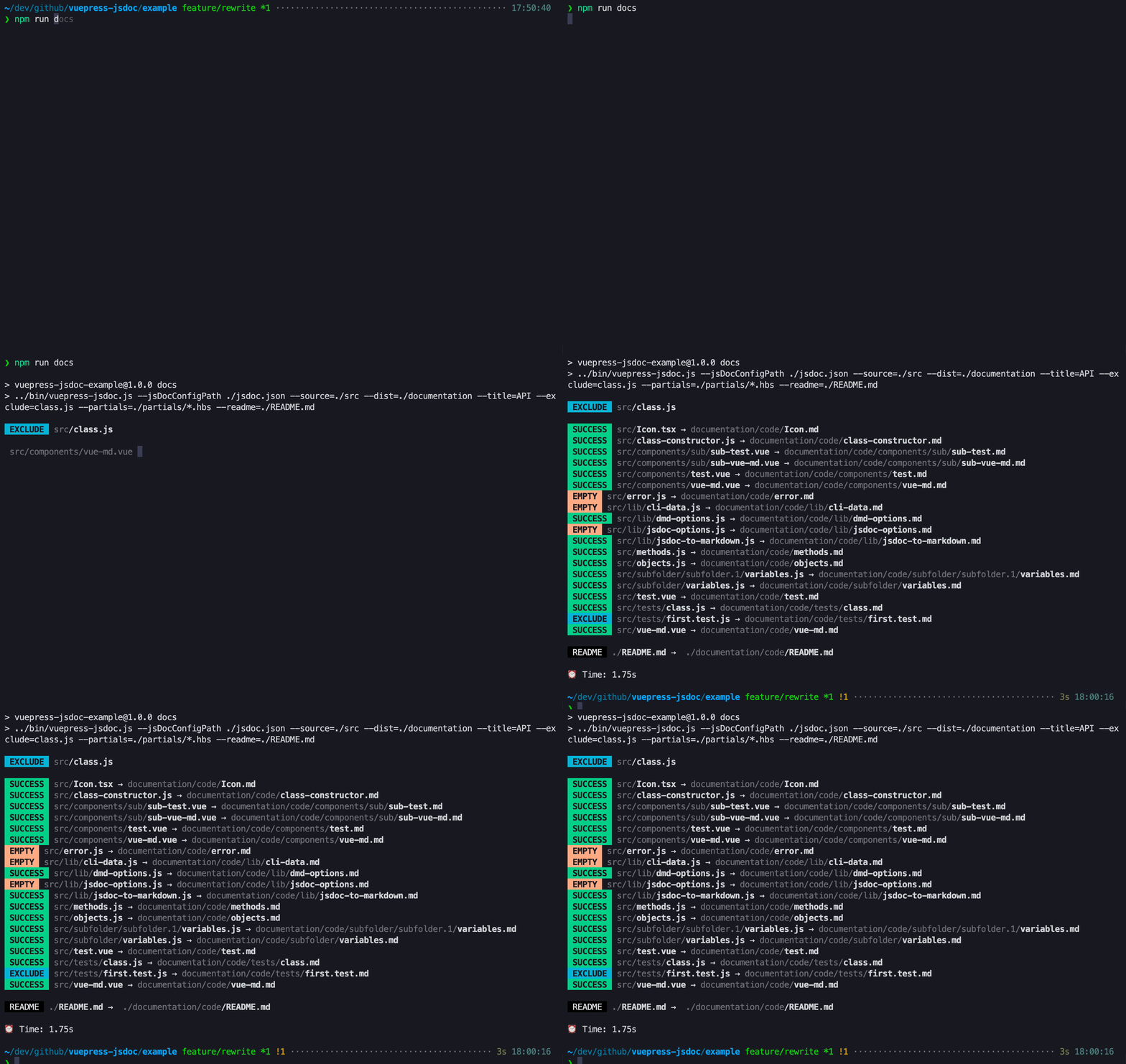
The ./example folder includes a full working vuepress-jsdoc example. It is part of the pnpm workspace and uses the local build of vuepress-jsdoc.
# Install dependencies (from the repository root)
pnpm install
pnpm build

cd example

# Generate docs
pnpm run docs

# Generate docs and run the dev server
pnpm run dev

# Generate docs and build the dist folder
pnpm run build:local- Node.js
>= 22.22is required. - The generated
config.jsis an ES module. Import it withimport { sidebarTree } from '../code/config.js'. - VuePress 2 needs a bundler in your config:
bundler: viteBundler()from@vuepress/bundler-vite. - Sidebar groups use
collapsibleinstead ofcollapsable. --rmPatternis also available as--rm. The generated folder is always recreated.- Files without documentation no longer create empty pages.
PRs are always welcome (:
This project uses pnpm.
pnpm install
pnpm test        # vitest
pnpm lint        # eslint (pnpm lint:fix to fix)
pnpm typecheck   # tsc
pnpm build       # compile to ./dist
pnpm run docs:dev    # VitePress dev server for the documentation of this project
pnpm run docs:build  # build it to ./public
Use pnpm run docs instead of pnpm docs, because pnpm docs is a builtin pnpm command.