


This repository holds my local configurations. Feel free to take ideas from it to improve your own dotfiles.
❗If you want to use this repository, I recommend forking this repository before usage. I do unannounced breaking changes regularly.
- WSL2 - Ubuntu 20.04, on Windows 11
- Ubuntu Noble 24.04.4 LTS
The features integrated within this repository stems from my workflows.
My workflows use different machines with slightly different configuration, tools, and usage. For example, my work machine has VPN shortcuts which I do not want to commit to this repository.
See adding custom local configs.
Terminal: Wezterm (Terminal emulator), Zellij (Session manager), ZSH (Shell), Zap (ZSH plugin manager), Starship (prompt)
Details
- Due to heavy TUI usage, terminal performance becomes one of the priority. Wezterm is a cross-platform, performant terminal emulator that is able to satisfy the performance requirements and be configured easily.
- Zellij is used to provide terminal session management and multiplexer.
- ZSH is battle tested shell that is easily configurable and is widely supported. Zap as plugin manager.
- Starship as customisable shell prompt.
Showcase
Details
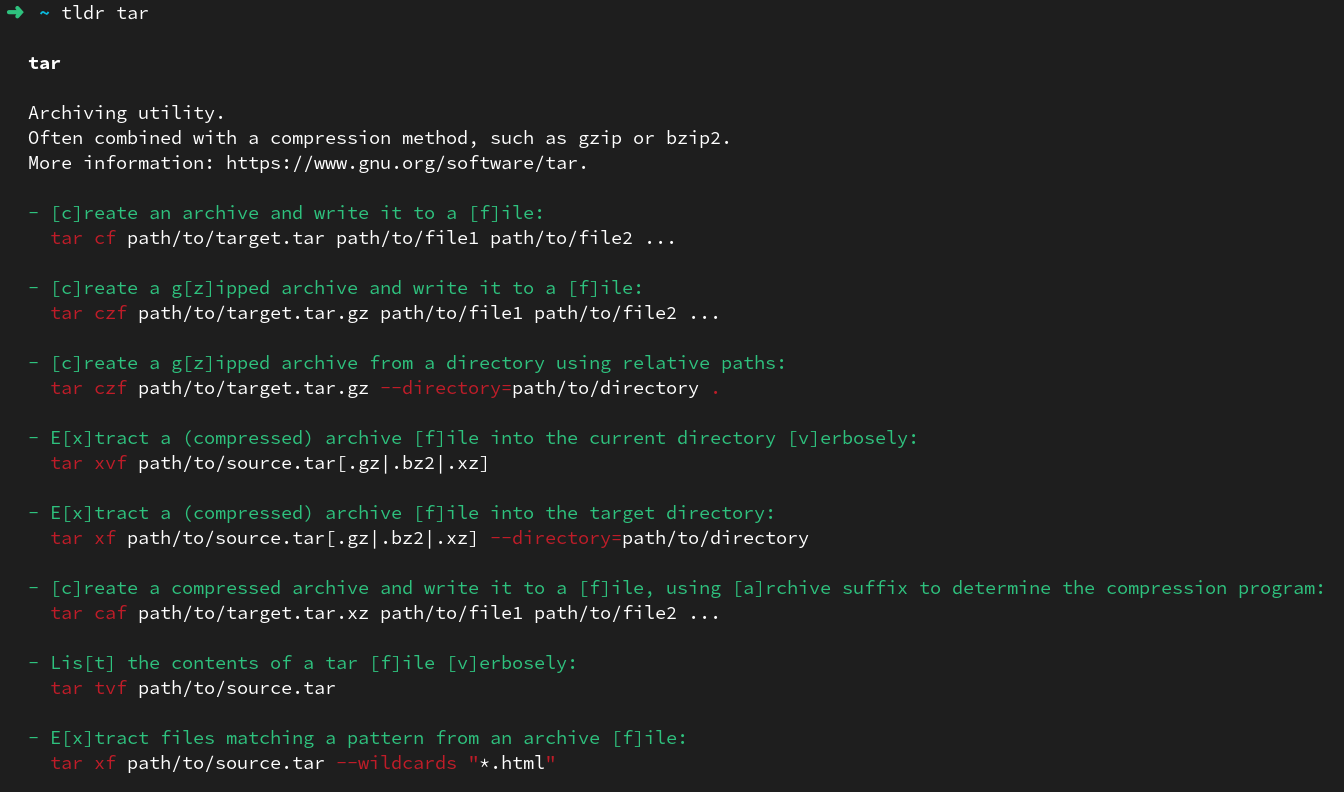
ezaas betterls. Aliased tols.batas bettercat. Aliased tocat.lazygitas simple Git terminal UI.deltaas syntax highlighter for Git.fzf,fd,ripgrepas search utilities.tldras simplifiedmanpages.
Showcase
eza

bat
lazygit

delta

tldr
Editor: Neovim (Text editor)
Details
- Neovim is able to be extensively configured to become a
Personal Development Environment (PDE), and having to not use multiple IDE for individual languages is much welcomed. - The Neovim has been configured to include LSP, auto-completion, UI and quality of life plugins that I use often.
- See nvim/README.md for architectural details, boot lifecycle, and custom commands.
Showcase

Details
Git clone to the machine.
git clone --depth=1 https://github.com/anthony-halim/dotfiles.gitRun Powershell as administrator & install Ubuntu distribution.
wsl --install -d Ubuntu
# For Ubuntu 20.04, do wsl --install -d Ubuntu-20.04Visit Wezterm's Download page and follow the installation steps.
Refer to Setup for details.
The followings will not be committed to the repository and are suitable to add local/machine specific configurations.
This file is used to load all of your local/machine-specific environment variables, aliases, or overrides. It is loaded early during ZSH initialization.
The following local environment variables can be exported inside it:
Zellij
| Name | Type | Defaults | Description |
|---|---|---|---|
| ZELLIJ_AUTO_START | bool | false | Automatically start zellij on shell start. Will attempt to attach to existing session. |
All configuration files added here are ignored by Git. Follows native loading of Neovim e.g., nvim/after/plugin, nvim/after/lsp, nvim/after/ftplugin
are loaded automatically. You can use this to override or add-on additional Neovim capabilities.
The default key bindings are not the most ergonomic for programmers, and we can perform some key swaps to help make it better. Your hands will thank you!
Windows
You can install PowerToys, and configure the mapping through the Keyboard Manager.
winget install Microsoft.PowerToys --source wingetPerform the swap between Esc and Caps Lock by adding two entries:
EsctoCaps LockCaps LocktoEsc
MacOS
Newer MacOS has native support for mapping keyboard modifier keys.
Go to System Preferences → Keyboard → Modifier Keys:
Caps LocktoEscfntoControl
NOTE: Yes, we are losing the
Caps Lockandfnbuttons with this mapping. If you use these keys often, this is not for you.
./setup.sh [-h] [-v] [--git_user git_user] [--git_user_email git_user_email] [--git_user_local_file path_to_file]
                     [--golang_tag golang_semver]
I have prepared a script that automates the rest of the configuration. The script has tons of user confirmation; (i) partly to ensure that the user knows what is happening and (ii) partly to allow the user to skip specific configurations.
Feel free to run the setup script for fun and skip all configurations to see what would be configured.
I have done my best to ensure that the script is:
- Idempotent i.e. able to be run multiple times without any side effects.
- Backs up any existing configuration if a replacement needs to be made.
NOTE: Many dependencies require some sort of shell integration script; these are already integrated within the ZSH configurations. See exports.zsh. If you decide to skip using this repository ZSH configurations, please remember to integrate the dependencies.
NOTE: For Windows, please create a symbolic link for wezterm.lua from the Wezterm installation directory to the Wezterm configuration. Below is a sample command for Powershell.
# Given installation dir: "C:\Program Files\Wezterm"
# Given local repository configuration: "\\wsl.localhost\Ubuntu\home\anthonyhalim\repos\personal\dotfiles"
New-Item -Path "C:\Program Files\WezTerm\wezterm.lua" -ItemType SymbolicLink -Value "\\wsl.localhost\Ubuntu\home\anthonyhalim\repos\personal\dotfiles\wezterm\wezterm.lua"

# Link the fonts folder
New-Item -Path "C:\Program Files\WezTerm\fonts" -ItemType SymbolicLink -Value "\\wsl.localhost\Ubuntu\home\anthonyhalim\repos\personal\dotfiles\wezterm\fonts"
Below is a screenshot of a snippet of the script run:

Q: Why not use third-party keyboard managers?
There are lots of third-party softwares that aid key swapping to an extensive degree of customisation (for example, Karabiner for MacOS, xcape for Linux). However, you may not want (or be allowed) to install third-party software that customises close to the firmware level.
Due to this, I opt to use built-in or officially supported by the OS, albeit it supports less extensive customisation.
If you are using third-party software, an idea for customisation is:
- On
Caps Locktap, map it asEsc.- On
Caps Lockhold, map it asCtrl.
Q: The markdown-preview.nvim Neovim plugin is not installed correctly.
Try to upgrade
Nodeandnpmto the latest version and restart Neovim.